Appearance
January 2024
Work with Contentful in eWizard
Configuration required
Streamline your content creation workflow with the powerful integration between eWizard and Contentful: a headless content management system (CMS) that offers a flexible and API-driven approach to content creation, management, and delivery. You can seamlessly work on presentations and emails across both platforms in the following ways:
Create presentations or emails in Contentful, and open them in eWizard for further editing.
Preview your Contentful presentations and emails in Viewer.
Integrate your presentations into websites with the eWizard embedded links generated in Contentful.
Add Genially content to your Contentful presentation. Preview the Genially content in Viewer or open it in an eWizard e-Detailer.
View changes applied to the eWizard email in the matching Contentful email after the platform sync.
Use item more options in Library and Editor to open eWizard templates in Contentful. Available for templates configured with the eWizard.js framework or items opened in eWizard from Contentful.
New statuses for module highlights
Configuration required
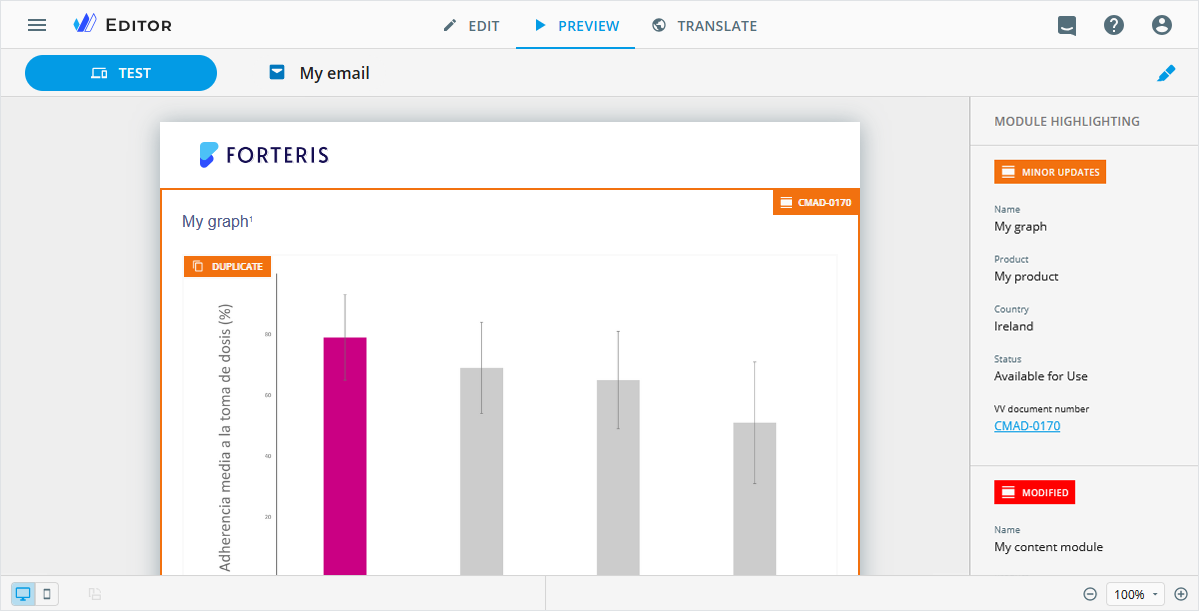
Meet new highlight statuses for module assets in the Editor PREVIEW mode and the resulting PDF files. They're as follows:
EDITEDfor modified module images.+ NEWfor images and video posters added to the module.DUPLICATEfor duplicated images and video posters. The status is also displayed for images and video posters reused from Veeva Vault with the Content module assets toggle switched on in theAssetspopup.
Multipage site setup
Configuration required
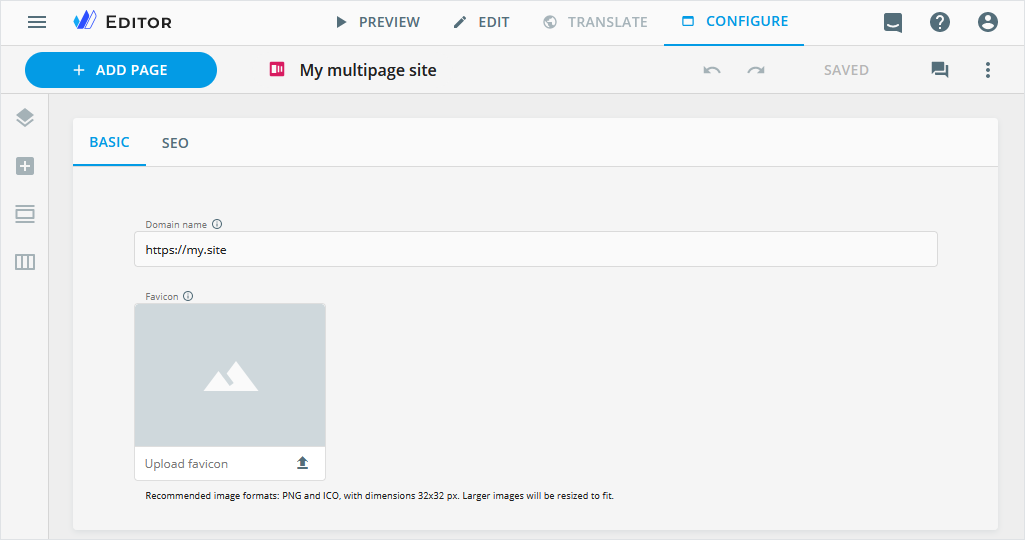
In the new Editor CONFIGURE mode, you can adjust multipage site settings on the following tabs:
BASIC—to customize the domain name for the multipage site and add a favicon to streamline site recognition.SEO—to configure the meta title and description of the multipage site for search engine visibility and user engagement.
Improvements
The list of languages is now consistent for auto translation in Viewer and Editor.
Library
Editor
In the
Edit linkpopup, eWizard now supports the website URL dependency on UTM/URL parameter values.All items you edit, preview, and open in Viewer are scaled to 100% by default. Also available for media in Viewer.
Export
You can select the Add outbound links checkbox to list all item links on a separate page in the resulting PDF file.
Publisher
To Veeva Vault as PDF for approval: To view the list of item links on a separate page of the resulting document, select the Add outbound links checkbox on the PREPARATION step of the item publication.
Planner
On the item Details page, within the Campaign planning and Operations & delivery widgets:
View item metadata on the GENERAL tab.
Enter and edit the item description.
Add tasks to the item checklist.
Administrator panel
From this version on, the administrator can do the following configurations.
In the
USER MANAGEMENT→PUBLISH MANAGERsection:Configure the
addOutboundLinksobject to show/hide theAdd outbound linkscheckbox on thePREPARATIONstep of the item publication to Veeva Vault as PDF.Add the
setPdfValueattribute to the required objects to automatically fill in metadata fields on theDETAILSstep of the Veeva Vault interactive publication. The values are inherited from the related PDF document.
In the
USER MANAGEMENT→SYSTEMsection:- Customize the Help menu links by affiliates in the
Help menu→Settingssection.
- Customize the Help menu links by affiliates in the
Turn on/off the following permissions:
Export as PDF with outbound linksin theUSER MANAGEMENT→Permission sets→UP CONTENTsection. Not available for AI-avatar videos.Make Subject line optionalandMake Teaser line optionalfor emails in theUSER MANAGEMENT→Permission sets→UP EDITORsection.View Configure modefor multipage sites in theUSER MANAGEMENT→Permission sets→UP EDITORsection.Checklist managerfor Planner items in theUSER MANAGEMENT→Permission sets→PLANNERsection.
For the link management in the
URL parameterssection:- Select the
Field dependencycheckbox to set the dependency of the website URL on URL/UTM parameter values for the selection type fields on theURL/UTM PARAMETERStabs.
- Select the