Appearance
June 2024
Publisher setup in Business Admin
Configuration required
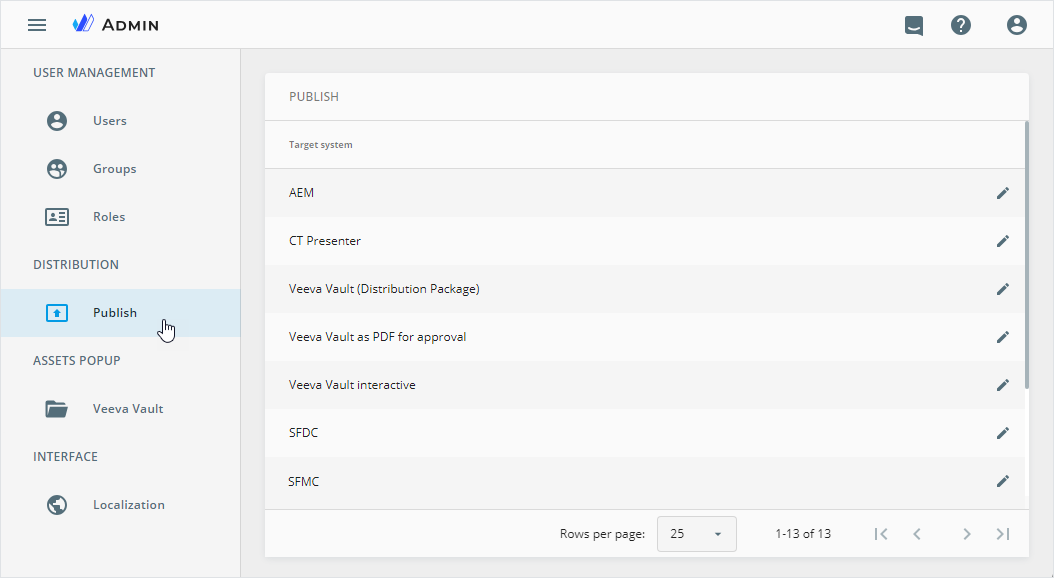
Introducing the DISTRIBUTION section within Business Admin that allows company business administrators to configure eWizard Publisher settings to match their company needs. It provides tools and options to optimize publishing workflows.
Currently, you can customize publish settings for the following target systems:
Font replacement
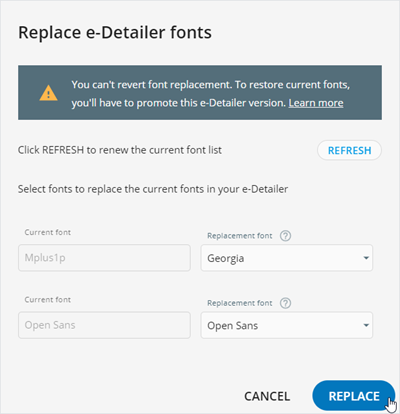
In eWizard Editor, you can now replace fonts across your entire content item at once. Use the REPLACE button on the Settings tab to save you time and ensure font updates throughout your content.
Improvements
Editor
Reuse of hidden slides from e-Detailers of the same brand is now available.
Increased the number of slides available for reuse up to 20 at a time.
Editing the same content item in several browser tabs isn't supported; duplicated tabs are for preview only.
Planner
Updated the design of the Create new, Edit details, Make a copy, and Update asset popups to facilitate your user experience.
Administrator panel
From this version on, the administrator can do the following configurations.
Set
objectorpicklistfield type for the language metadata in theextendedMetadataobject to ensure proper metadata mapping of Veeva Vault placeholders and eWizard items. Available in theUSER MANAGEMENT→SYSTEM→Edit in eWizard→Veeva Vaultsection.Configure the extraction of global key message values from the database file for their automatic sending to the repository for analysis. Available for content items with country-specific metadata, except for
Global,MASTER, or with the global key message values on the database file blacklist.Set the placeholder text for the custom
text,select, anddatefield types in thedefaultFieldsSettingsobject. Available for theCreate new,Edit details,Make a copy, andUpdate assetpopups in Planner.Turn on/off the
Replace fontspermission in theUSER MANAGEMENT→Permission sets→UP EDITORsection.