Appearance
September 2024
Publication to Platforce
Configuration required
You can now publish your e-Detailers, emails, and email fragments to Platforce to store, manage, and share content items for collaboration with colleagues.
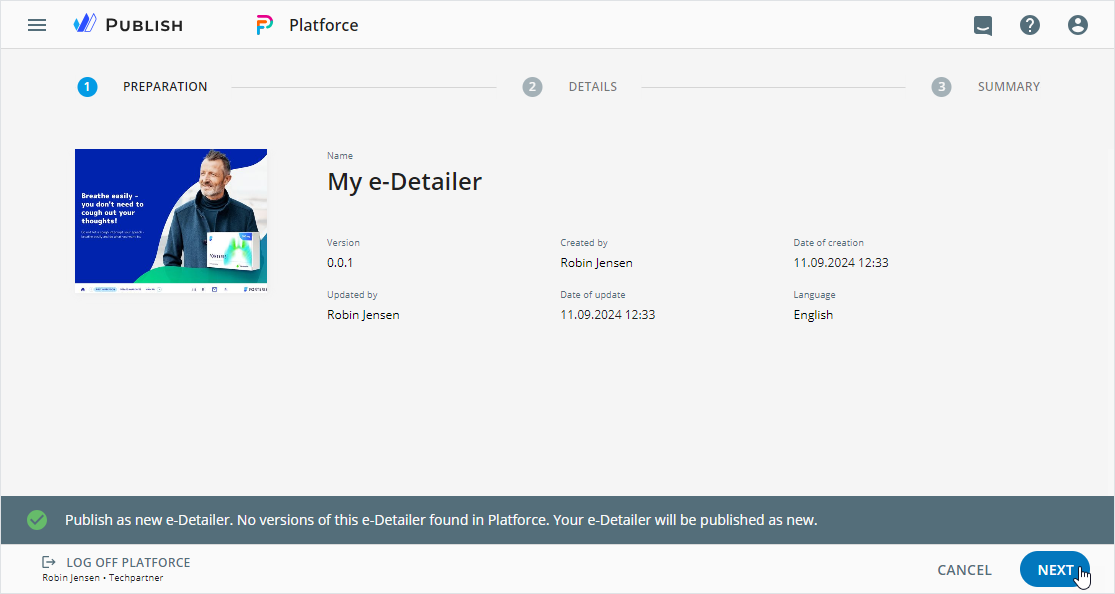
After publication, preview the content item in the Products → Products Materials section of Platforce. Present your products and services to target audiences during remote calls and virtual conferences, and gain insights through KPI metrics.
Improvements
Editor
Configured advanced filtering for the VEEVA VAULT tab in the Assets popup.
MLR Acceleration
You can now launch the content validation directly from Viewer.
Planner
In the Campaign planning and Operations & delivery widgets:
When creating content items, available templates are automatically filtered by country system metadata. In the
Create newpopup for template-based assignments, they're filtered by size, orientation, width, and height custom metadata.In the Create new popup, required custom metadata fields can be grouped into blocks to enhance the user experience.
On the LAYOUTS tab of the offline template-based assignment, find the automatically added PDF with the content item metadata, a list of modules, and assets from Veeva Vault PromoMats or your device.
When publishing content items to Veeva Vault PromoMats as PDF for approval or interactive, the campaign name is automatically prepopulated on the
DETAILSandSLIDESsteps. In Veeva Vault PromoMats, you can find the campaign ID on theDocument Informationtab.
Administrator panel
From this version on, the administrator can do the following configurations.
In the
Digital assetssection, on theVEEVA VAULTtab:Configure multiselect for
remote-object-list,remote-pick-list, andpick-listfield types with themultiple: trueparameter.Set the field dependency for the
remote-object-listfield type with thefilterExpressionparameter.Change the
isBlockFiltervalue to true to block the data filtering when the field value changes.
In the
USER MANAGEMENT→PUBLISH MANAGER→Publishsection:Configure publication to the
Platforcetarget system.Adjust the
campaign_id__cobject to customize the newCampaignmetadata field on theDETAILS, andSLIDESsteps. Available for Planner content items published to Veeva Vault as PDF and interactive.
Configure the
blockTypestring within the required object to display two custom metadata fields as a block in theCreate newpopup of Planner.Customize different sets of metadata filters and their order for the
Campaign planningandOperations & deliverywidgets in Planner.