Appearance
eWizard.js v5.4.1
May 2021
Support for blocks in e-Detailers
Your e-Detailers now support blocks. Blocks are reusable containers with components. You can use blocks as building bricks to create the slide layout from the ready-made pieces of content. How does it work?
Develop your custom blocks locally.
Configure the
blocks.jsonsettings to add these custom blocks to the Blocks tab on the eWizard Editor elements panel.Drag your custom blocks from the elements panel to the slide layout in eWizard Editor.
The dependencies of the wiz-block and module-placeholder components are installed in the new e-Detailer template. You can initialize the new scaffolding template for the e-Detailer using the wiz init eWizard CLI command or apply the default e-Detailer template in eWizard Library.
Support for modular content from Veeva Vault in e-Detailers
Insert the module placeholder block into e-Detailers to upload Veeva Vault assets to them. How does it work?
The eWizard Editor elements panel includes the Blocks tab where the module placeholder blocks are displayed by default.
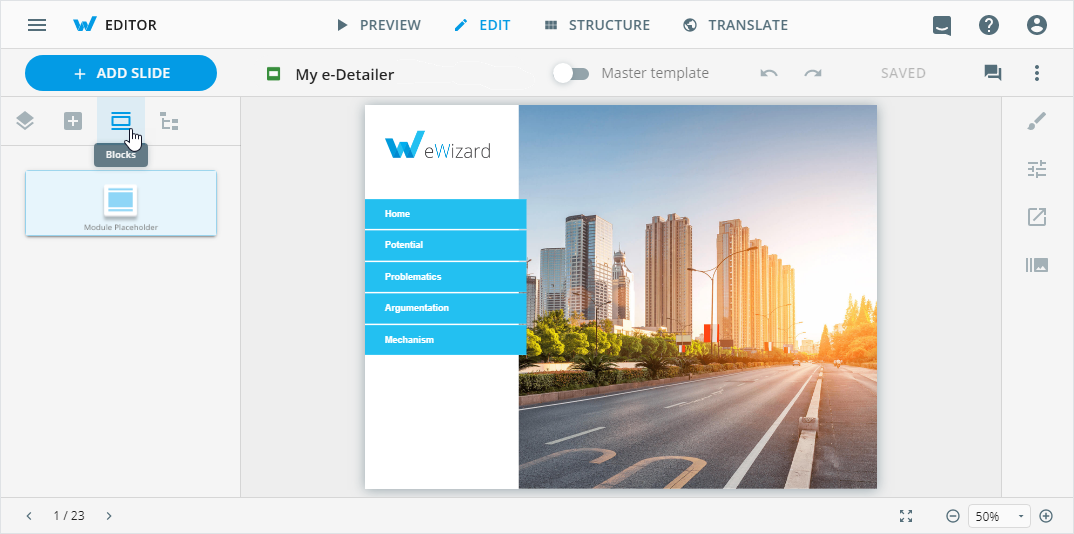
Drag the module placeholder to the slide layout.
Select the module placeholder on the slide layout.
Select the Properties tab in the eWizard Editor customization panel.
Click the BROWSE button. In the Assets pop-up that appears, select Veeva Vault assets for upload.
For more information, see Module placeholder type.
Export emails to the IQVIA format
Added support for exporting emails to IQVIA (MI Touch) CRM in the IQVIA Mobile Intelligence compatible format.
The eWizard.js framework generates the build compatible with the IQVIA Mobile Intelligence format when you select IQVIA (Mi Touch) as the target system in the eWizard Export pop-up.
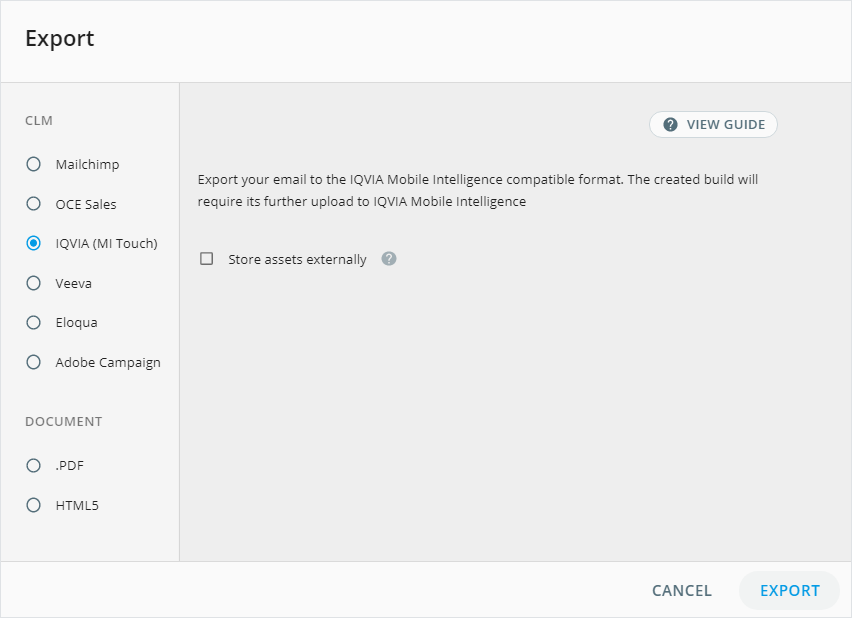
As a result, you receive an email notification with a unique link to download the ZIP-archived build for its further export to IQVIA (MI Touch) CRM.
Write the builder and framework versions in the resulting email HTML
Now, the eWizard.js framework adds the versions of the builder and framework when generating the email build.
Export your email to the target CLM system from the eWizard platform.
Open the HTML file in the resulting email build using your code editor.
The builder and framework versions are written as the HTML comments. For example:
<!-- builder: email-templates-builder - version: 2.39.2 framework: ewizardjs - version: 5.5.2 -->html<!DOCTYPE html><html xmlns="http://www.w3.org/1999/xhtml" xmlns:v="urn:schemas-microsoft-com:vml" xmlns:o="urn:schemas-microsoft-com:office:office"><head> <meta charset="utf-8"> <title>Document</title> <!-- builder: email-templates-builder - version: 2.39.2 framework: ewizardjs - version: 5.5.2 --> <style></style></head> <body style="margin:0;padding:0;background:#fff;"> </body><script src="./js/mi-api.bundle.js"></script></html>The versions in the builds exported for Veeva Vault are written at the end of the HTML file.
e-Detailers for Veeva export: Update Veeva CRM API
Updated Veeva JavaScript API Library to version 203.1.201. This Library is part of the irep-api NPM module. The update Veeva JS API library is available in the eWizard.js framework v5.4.1.