Appearance
eWizard.js framework v4.13.0
Email development enhancements
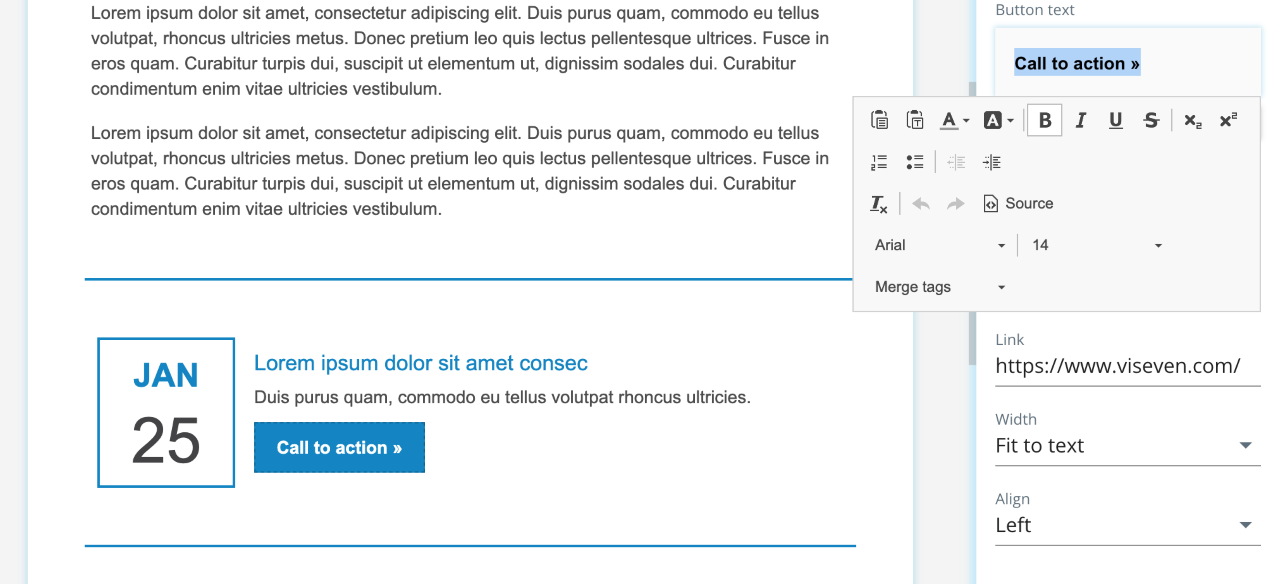
A new component property type, LinkedText, is added to Classic and eWizard Editor emails.
It restricts the WYSIWYG editor with text settings only in text component properties for those components with the global link (for example, buttons, menus, etc.)
The involved components comprise the <a> tag in the template that allows for inserting string tags only (and thus, styles). If required, the rest of the styles can be moved to individual properties.
The majority of related components are updated to meet this approach requirements.
Nowrap plugin in the WYSIWYG text editor
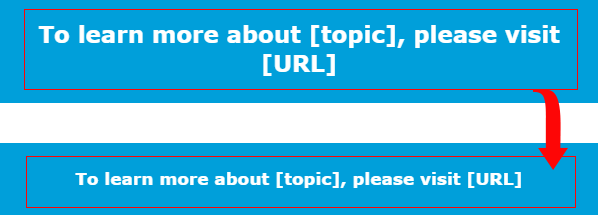
With this plugin, you restrict text lines from wrapping. It helps to avoid grammar mistakes when wrapping on portable devices or even refine the appearance of the headings.
Thewhite-space:nowrap; style is added to selected text lines. As a result, the text isn't wrapped to the next line:
Brand colors support by the color picker
Now you can configure colors for quick access to Editor color pickers. Along with that, users can set permissions to make available the brand colors only.
Make sure your item contains the $theme object with the brandColors field (with the Object and Array types) within the Vue instance.
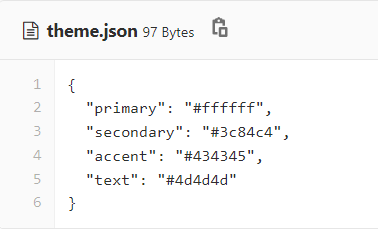
Store the colors list in theme.json
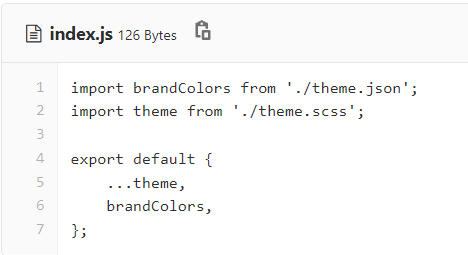
and import it to index.js.
New e-Detailer components
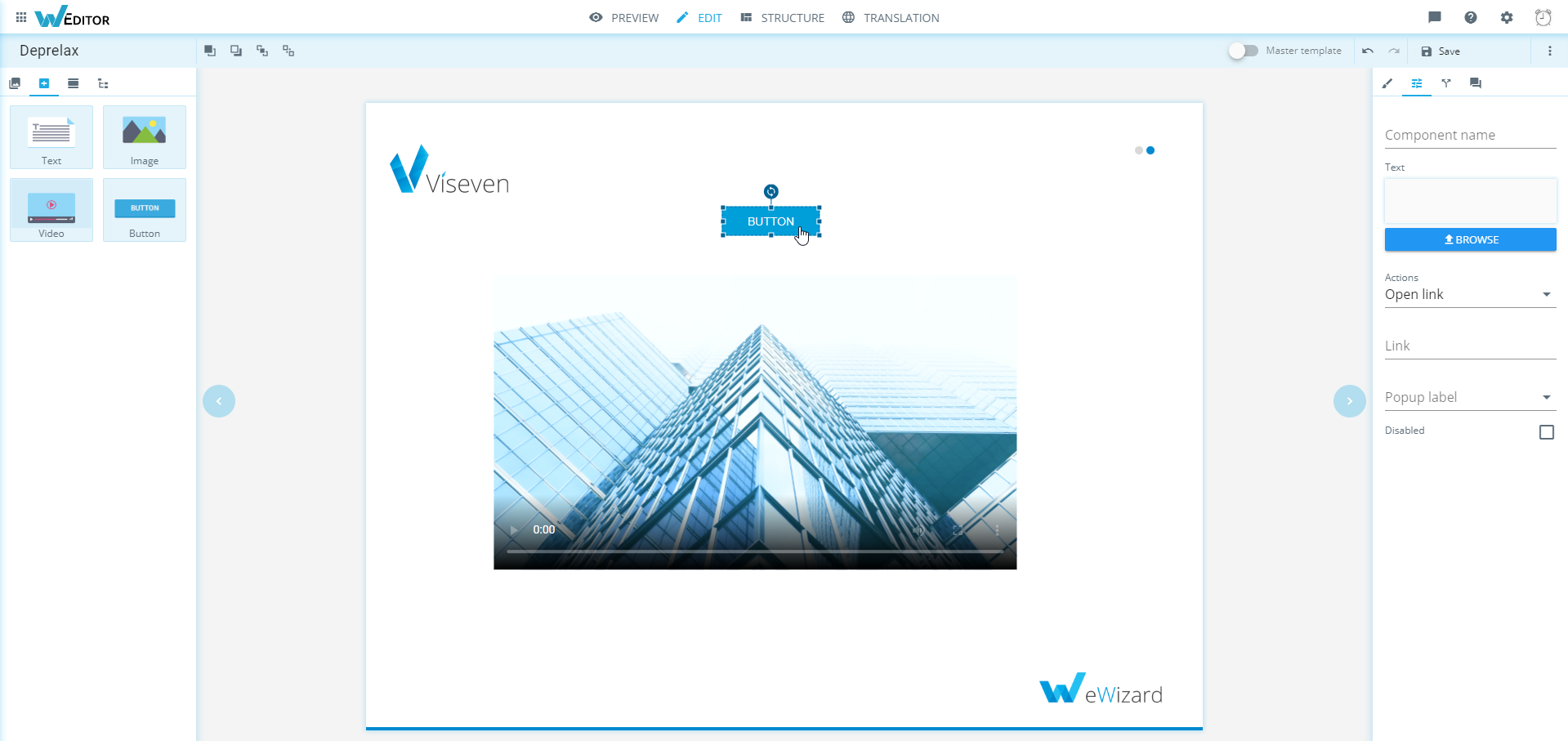
Button
The wiz-button component is available for e-Detailers.
Add it as the Vue.component to set it global.
Button enables assigning the open pop-up action with the Actions tab.
Video
The Video component is available for e-Detailers.
e-Detailer KPIs tracking
Based on the navigator hooks, the time on slide timer launches with the onenter method once the slide is opened, and stops with the onleave method upon the slide closure.
For the purpose of this functionality, the monitoring module now comprises standard and custom monitoring, and uses sesionStorage. Due to the dynamic import, only the required code is included in a build. The standard monitoring features the following strategies:
Viseven
Rainmaker
OCE
iQVIA
The rest of the CLM applications use the common strategy.
The standard monitoring uses the getKPI(): string API that returns the monitoring as follows:

the slides array with ID and time on a slide.
Also, monitoring supports subslides:
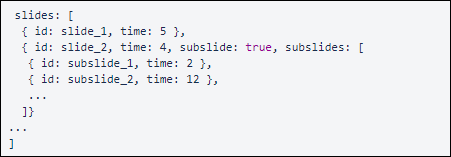
The subslide field value is true when there are any in the slide. Subslides are the slides added to the subslides array.
clearStorage(): void: clears monitoring. Once this method is called,getKPIreturns thenullvalue.suspend(): void: stops thetime on slidetimer on the current slide.proceed(): void: launches thetime on slidetimer on the current slide.
To access the monitoring API, use windows.ewizardjs.monitoring. For example:
js
windows.ewizardjs.monitoring.getKPI()To support the former API, the window.executeMethod and window.invokeEvent methods are live.
Custom KPI tracking
The custom KPI tracking is implemented for Single Page Application builds.
Custom monitoring API features two methods available with CustomMonitoringPlugin in each slide component.
js
submit(key: string, value: boolean | number | string, options?: any): Promise<void>In the above example:
key: a mandatory linevalue: a number, line or booleanoptions: optional; any additional data with different behaviour within CLM applications.
Use:
js
this.$monitoring.submit(‘slider’, slider.value, { label: ‘My slider value’ });

submitOnLeave(key: string, getData: Function): Promise<void>
This method allows sending monitoring upon the slide closure.
key: a mandatory linegetData: a function returning the object with thevalueandoptionsfields. These field types are similar to thesubmitmethod. It is called once, when monitoring sending (upon the slide closure)
Use:
js
this.$monitoring.submitOnLeave('slider', () => {
  return {
    value: slider.value,
    options: {
      label: 'My slider value',
    },
  }
});
Custom monitoring is stored along with the standard one in the customKPI object. The customKPI structure is as follows:
js
{
  "customKPI": [
    {
      "key": "key1",
      "value": "value1",
      "options": {}
    },
    {
      "key": "key2",
      "value": "value2",
      "options": {}
    }
  ]
}
eWizard CLI improvements
wiz archivelaunches thewiz dev --target ewizardcommand before archiving. As a result, the e-Detailer is built with the reducedapp.jsbundle. It decreases e-Detailer loading time in a browser and especially comes in handy when the internet connection is poor. The optimization relates to different eWizard services, but first of all, for theShare linkfunctionality that is in widespread use as of now.
USAGE
To make profit on this optimization, create the e-Detailer archive with the wiz archive command. Then upload it to eWizard.
wiz devis adjusted wit the--target ewizardoption. It allows for building e-Detailers with the develop build where the bundle size is optimized. For example,source mapsare excluded.