Appearance
Initialize project
Use eWizard CLI to create an e-Detailer project from a scaffolding template.
Log in to your eWizard instance.
Go to a directory where you want to initialize your e-Detailer project.
Initialize your project.
shwiz initSelect the e-Detailer template:
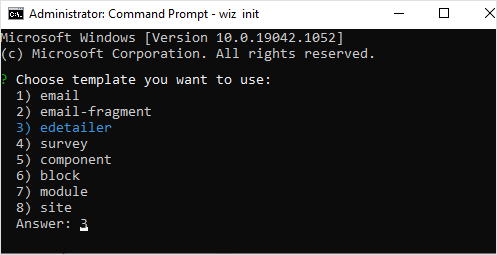
To skip the template selection step, you can initialize the e-Detailer template with the eWizard CLI command
wiz init edetailer.Select if you want to use Vuex.
Press
Enterto keep the default value.Enter the project description.
Select the group of target devices that support the aspect ratio for displaying your e-Detailer.
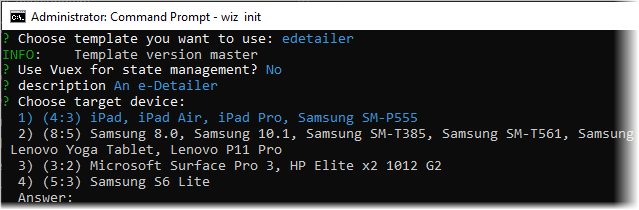
You can also add devices from other groups to make sure the e-Detailer scales correctly on other devices. For more information, see Target devices.
Enter the name for your e-Detailer and specify the author.
The e-Detailer project is initialized with the default scaffolding template.
Build your e-Detailer project and serve it on a local server as a static site.
shwiz dev --liveThe
--liveoption tracks the changes and continuously builds the e-Detailer project.See eWizard CLI commands for a complete list of commands with options.
eWizard CLI starts a hot-reloading development server at http://localhost:3000/.