Appearance
Mode plugin
The mode plugin defines the editing mode in which your content is open. This plugin is available through the $editor observable on any Vue instance.
js
this.$editorThe mode plugin is useful for changing the component behavior based on the current mode or Editor state. For example, in the EDIT mode, eWizard.js removes touch event listeners to allow component dragging, while in screenshot mode, the component renders for preview capture. In view mode, the component displays normally in e-Detailers.
Editor modes
The mode plugin supports the following editing modes:
edit– The component is opened in the eWizard Editor for editing. Touch events are disabled to allow dragging.view– The component is displayed normally in e-Detailers or when not in theEDITmode (default mode).screenshot– The component is being rendered for screenshot/preview capture (used when running in webdriver mode).
In addition to screenshots, this mode is also activated during prerendering at build time and when generating a PDF.
Mode plugin properties
mode
The mode property indicates the current editor mode.
js
this.$editor.modeThe mode property returns a string value: 'edit', 'view', or 'screenshot'.
isOpenedInEditor
The isOpenedInEditor property indicates whether the content is opened in the eWizard Editor.
js
this.$editor.isOpenedInEditorThe isOpenedInEditor property returns a Boolean value:
trueif the component is opened in the eWizard Editor.falseif the component is displayed in an e-Detailer or external environment.
Usage examples
Watch mode changes
You can use Vue.js watchers to listen for mode changes.
js
watch: {
    '$editor.mode': (mode) => {
        if (mode === 'edit') {
            // Handle edit mode
            console.log('Editing enabled');
        } else if (mode === 'screenshot') {
            // Handle screenshot mode
            console.log('Screenshot mode');
        } else {
            // Handle view mode (default)
            console.log('View mode');
        }
    }
},
Use computed properties
You can use Vue.js computed properties to add logic based on the current mode.
For example, this is the logic for the wiz-text component:
js
// ./demo/node_modules/wiz-text/index.vue

export default {
    computed: {
        isEditMode() {
            return this.$editor.mode === 'edit';
        },
        isDefaultText() {
            return />Double-click to add text</.test(this.value) &&
                !/<a.*>Double-click to add text/.test(this.value);
        },
        isVisible() {
            return this.isEditMode || !this.isDefaultText;
        },
        value() {
            return this.text || defaultText;
        }
    }
};
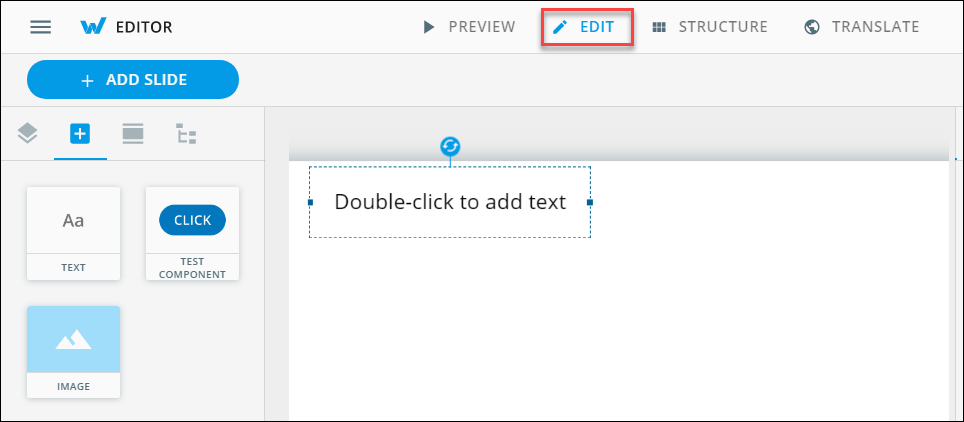
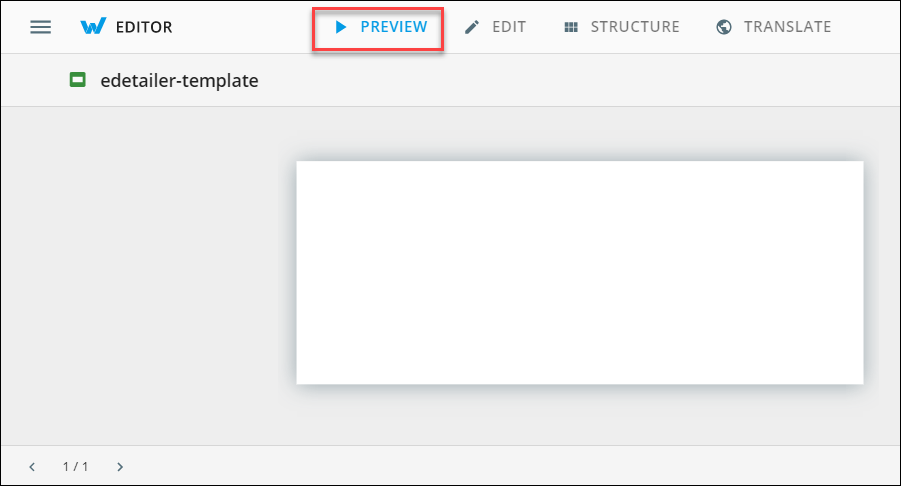
The wiz-text component has the Double-click to add text default text in the eWizard Editor EDIT mode. The component isn't visible in the eWizard Editor PREVIEW mode.