Appearance
IQVIA OCE Personal
To publish your e-Detailer to IQVIA OCE Personal:
Click
IQVIA OCE Personalon the target system selection page.In the popup that appears, select the environment and log in to your account.
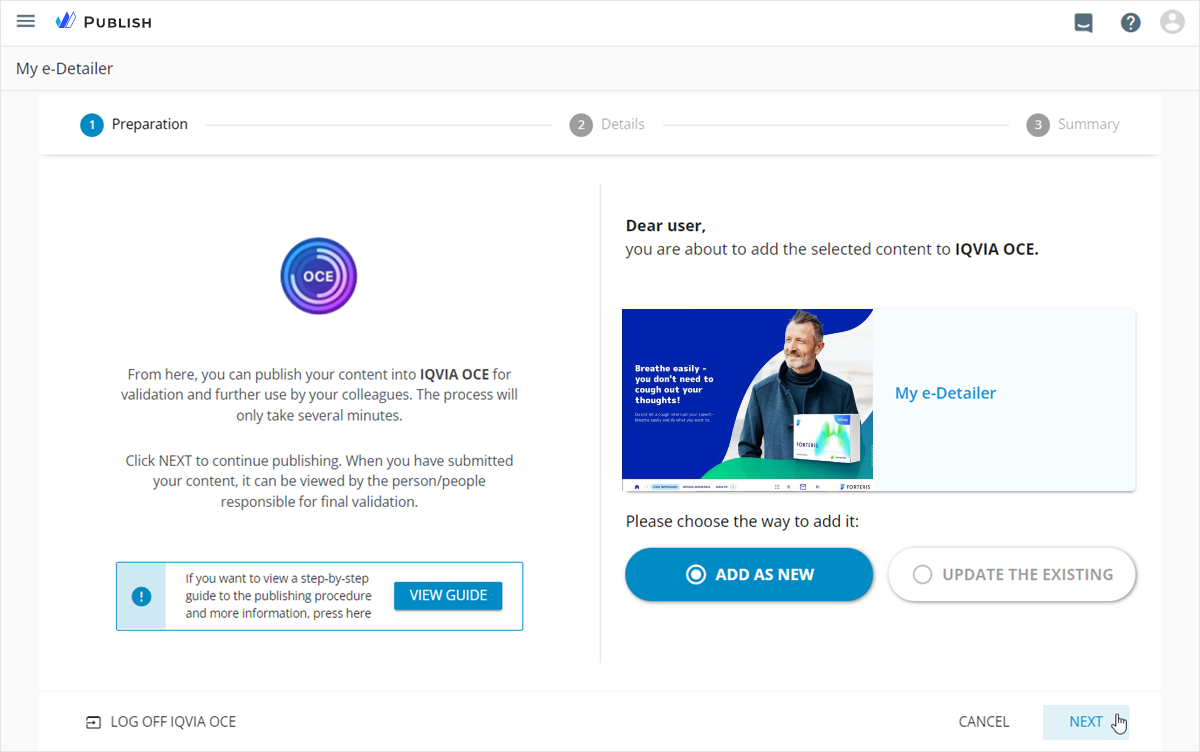
The publishing preparation page opens.
Select the required option:
ADD AS NEWto publish your e-Detailer as new to IQVIA OCE Personal.UPDATE THE EXISTINGto update the existing presentation in IQVIA OCE Personal. This operation overwrites the target presentation with your e-Detailer content.
Click
NEXT.
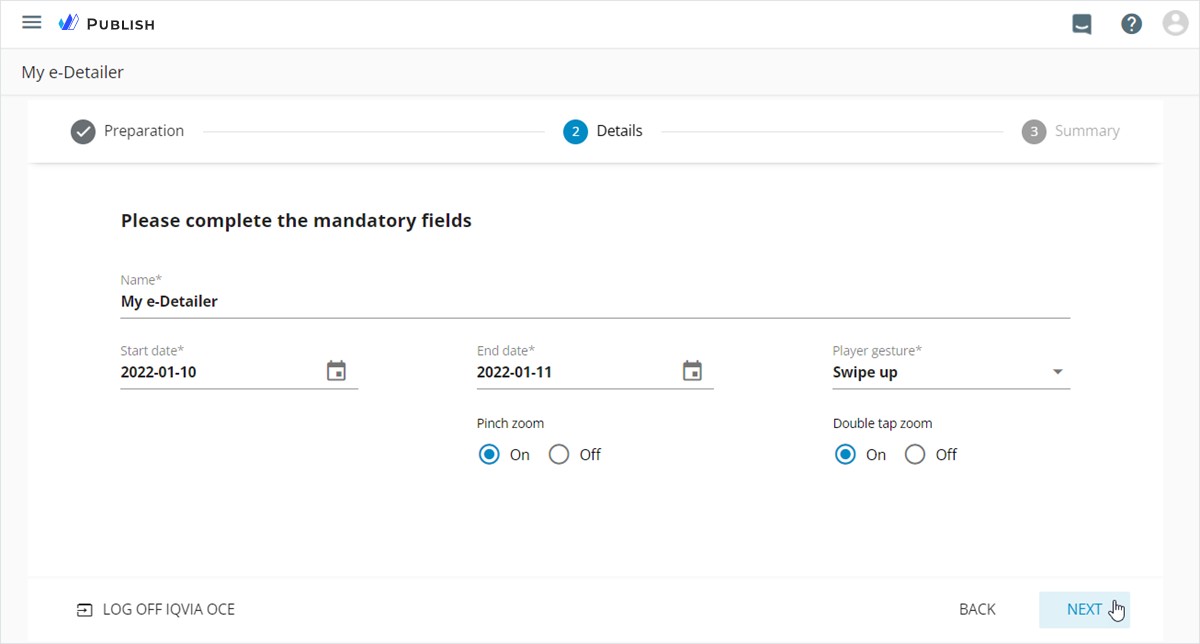
- Fill in the metadata fields, select the
Player gesture, and set the zoom options to manage your e-Detailer in the target system.
You can set the day before or after the actual Start date.
- Click
NEXT.
- Check the publishing summary and click
PUBLISH.
To activate the e-Detailer in IQVIA OCE Personal, select the Activate after publishing checkbox.
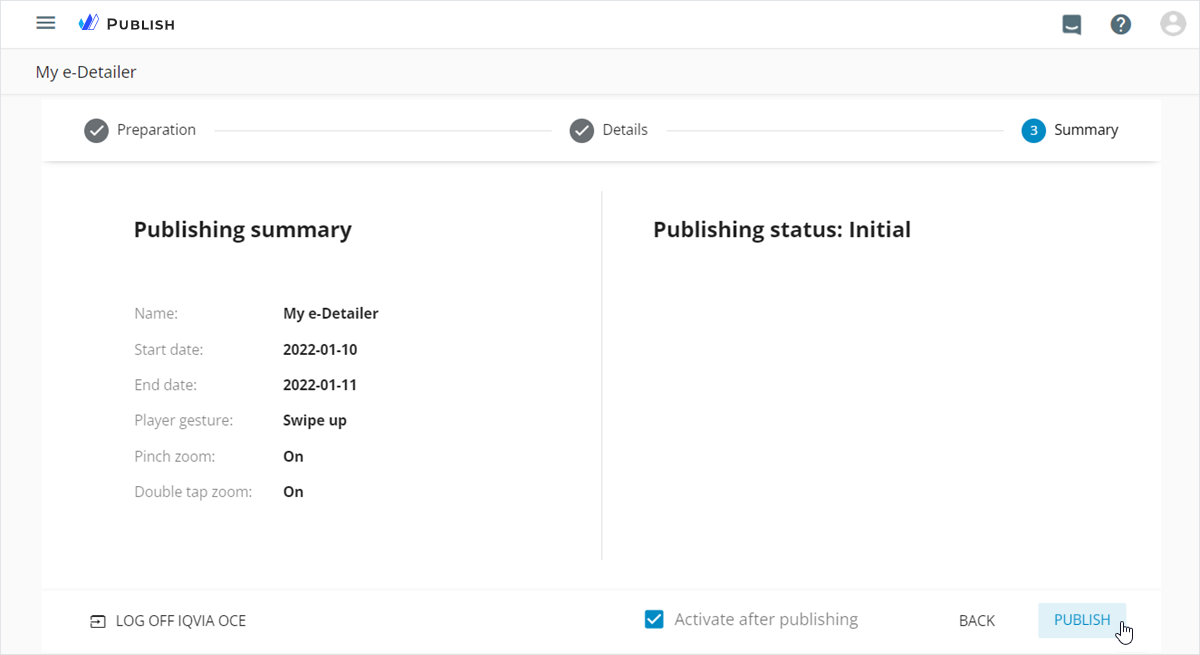
Once the publication is complete, you can click DONE to go to Publish manager.
To open the e-Detailer details page in IQVIA OCE Personal, follow the direct link in the received email notification.