Appearance
Monitoring
The monitoring module in eWizard.js framework provides methods for collecting KPIs on slides and subslides in e-Detailers. The KPIs are the metrics to measure how HCPs interact with your e-Detailer:
How much time HCPs spend on each slide.
Interaction with the components. For example, HCPs use sliders to select values: number of patients, days, and other measurable data.
The eWizard.js framework stores these metrics in the browser session during the e-Detailer demonstration.
The MPA CLMs collect KPIs from e-Detailers using the standard monitoring without using the eWizard.js framework. For example, Veeva CRM and IQVIA OCE use the standard monitoring to collect KPIs.
The eWizard.js framework collects KPIs automatically using the standard monitoring and sends the KPIs to the SPA CLMs. The eWizard.js framework provides transition between the slides or subslides in e-Detailers and tracks the time spent on the slides.
e-Detailer KPI tracking
Based on the Navigation hooks, the time tracker for the time spent on a slide starts with the onenter method once the slide is opened, and stops with the onleave method upon the slide closure.
The monitoring module comprises standard and custom monitoring.
Standard monitoring
Standard monitoring tracks the time spent on a slide. By default, the time tracker starts after two seconds spent on the slide. The time tracker stops when you leave the slide: go to the previous or the next slide, close the e-Detailer.
If you spend less than two seconds on a slide, monitoring doesn't record this time.
You can change the default startTime value in the settings.json file.
json
  "kpi": {
    "storageKey": "{settings.id}_KPI",
    "startTime": 2
  }
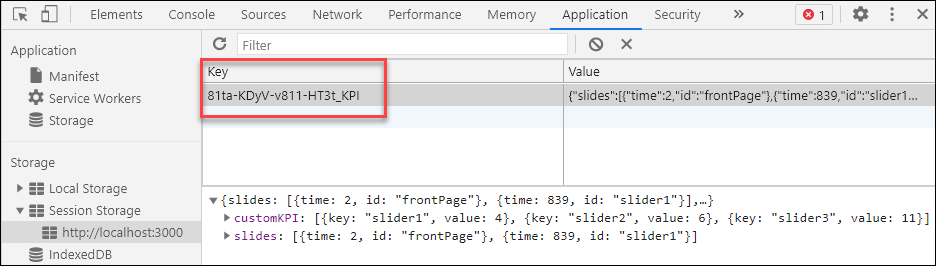
The storageKey setting defines the key in the browser Session Storage:
{settings.id}is the interpolated value of the e-Detaileridfrom thesettings.jsonfile.KPIis the meaningful name to identify this setting.
Custom monitoring
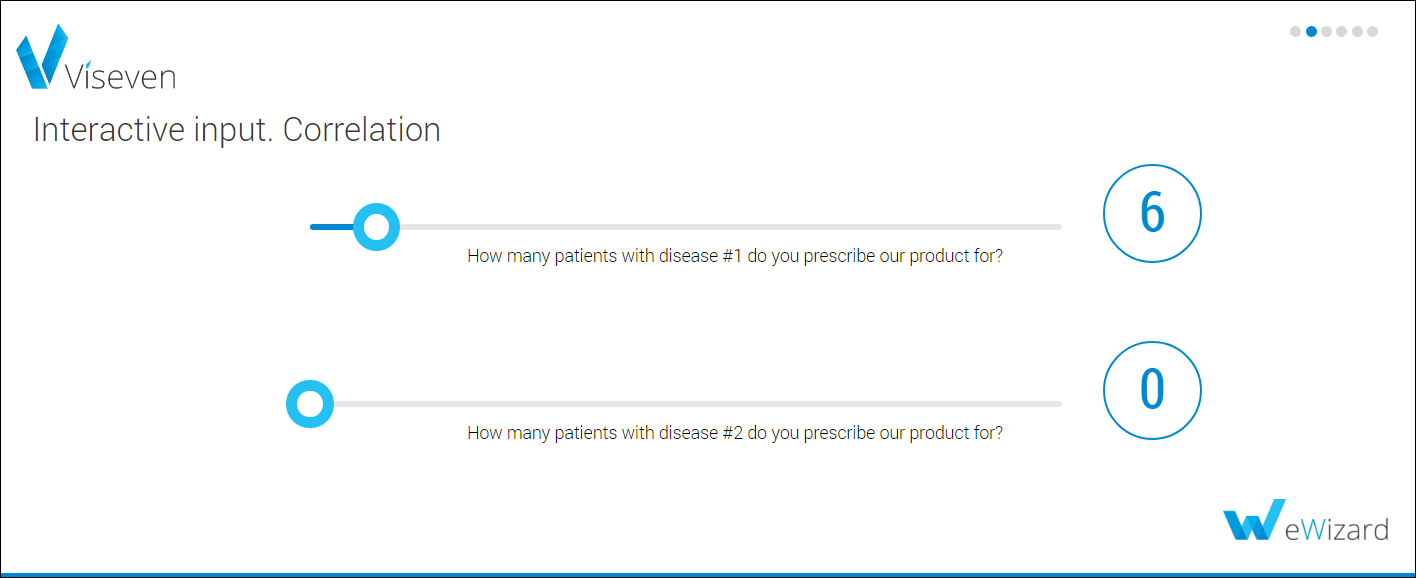
Use custom monitoring to set custom KPIs on a slide. Custom KPIs are the key-value pairs you can add to the slide using the monitoring methods. For example, HCPs can select the number of patients using the slider.
Debugging
The monitoring KPIs in e-Detailers are the key-value pairs. A key-value pair consists of two related data elements:
Key defines the data set (for example, the slide ID).
Value is a variable that belongs to the set (for example, the selected value in the slider component: number of patients, etc.).
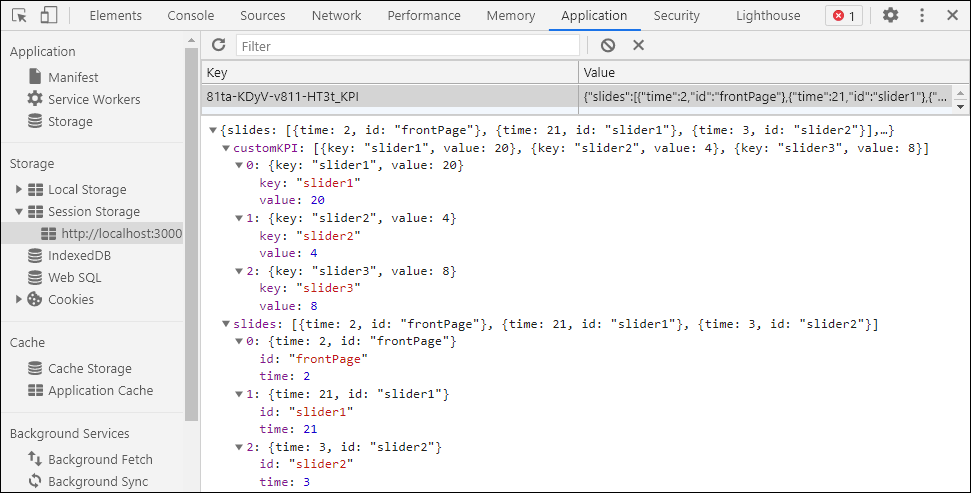
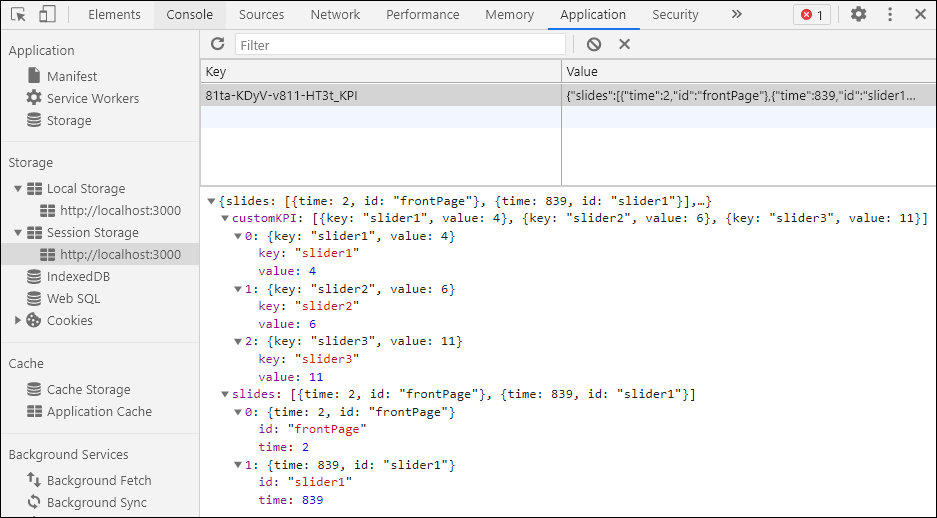
The monitoring module stores all the tracked data in the sessionStorage property. When you run the developed e-Detailer locally with wiz dev --live, you can check the selected values in your browser console. In your Chrome browser:
Press F12.
Select
Application→Session Storage→http://localhost:3000.Select the key-value pair to view the values.
Custom monitoring
Custom monitoring is implemented as a custom Vue plugin. It's available via the $monitoring object on any Vue instance. You can call the custom monitoring methods using this context on any slide or subslide.
js
this.$monitoringCustom monitoring plugin provides the following methods:
submitsubmitOnLeave
submit
js
this.$monitoring.submit(key, value, options)The submit method submits the KPIs selected on a slide. It returns the key-value pair.
The submit method can have the following parameters:
| Parameter | Type | Description |
|---|---|---|
key | string | The required KPI name. |
value | boolean, number, string | The required KPI value. |
options | any | The optional data describing KPIs. |
js
this.$monitoring.submit('slider', slider.value, { label: 'My slider value' });submitOnLeave
js
this.$monitoring.submitOnLeave(key, getData)The submitOnLeave method returns the KPIs when you leave the current slide in your e-Detailer: navigate to the next or previous slide, close the slide. This method is subscribed to the onleave navigation hook.
The submitOnLeave method can have the following parameters:
| Parameter | Type | Description |
|---|---|---|
key | string | The required KPI name. |
getData | function | The function returning the object with the value and options fields. |
js
this.$monitoring.submitOnLeave('slider', () => {
  return {
    value: slider.value,
    options: {
      label: 'My slider value',
    },
  }
});
Monitoring for external systems
The eWizard.js framework collects KPIs on the e-Detailer slides for monitoring from external systems such as Remote calls, Previewer, etc. The developers of these CLMs can call the monitoring methods using the following context.
js
window.ewizardjs.monitoringgetKPI
js
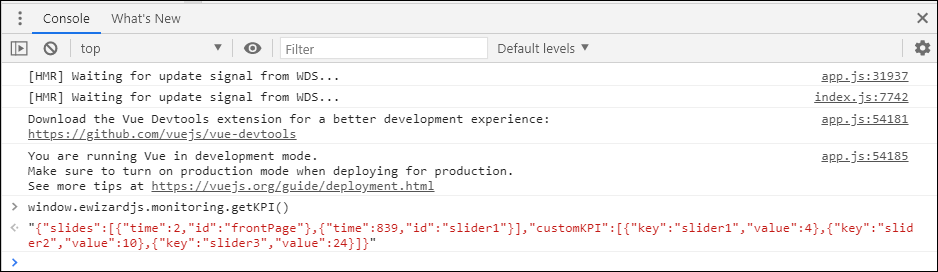
window.ewizardjs.monitoring.getKPI()The getKPI method returns the string of values for both the standard and custom monitoring: the time spent on a slide, the values selected. This data is recorded in the Session Storage of a browser.
clearStorage
js
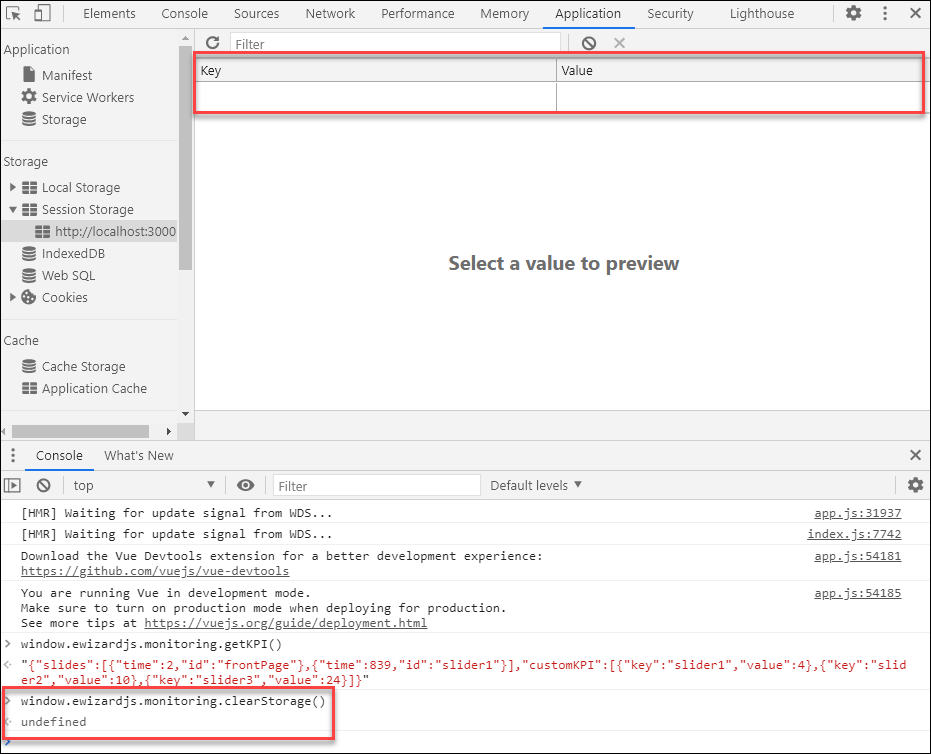
window.ewizardjs.monitoring.clearStorage()The clearStorage method clears all the monitoring values from the Session Storage in a browser.
suspend
js
window.ewizardjs.monitoring.suspend()The suspend method stops the time tracker on the slide where you call this method. The monitoring stops collecting KPIs on the slide. To resume the KPIs collection, use the proceed method.
proceed
js
window.ewizardjs.monitoring.proceed()The proceed method resumes the KPIs collection on a slide: starts the time tracker and records the selected values. To stop monitoring, use the suspend method.
setCustomKPI
js
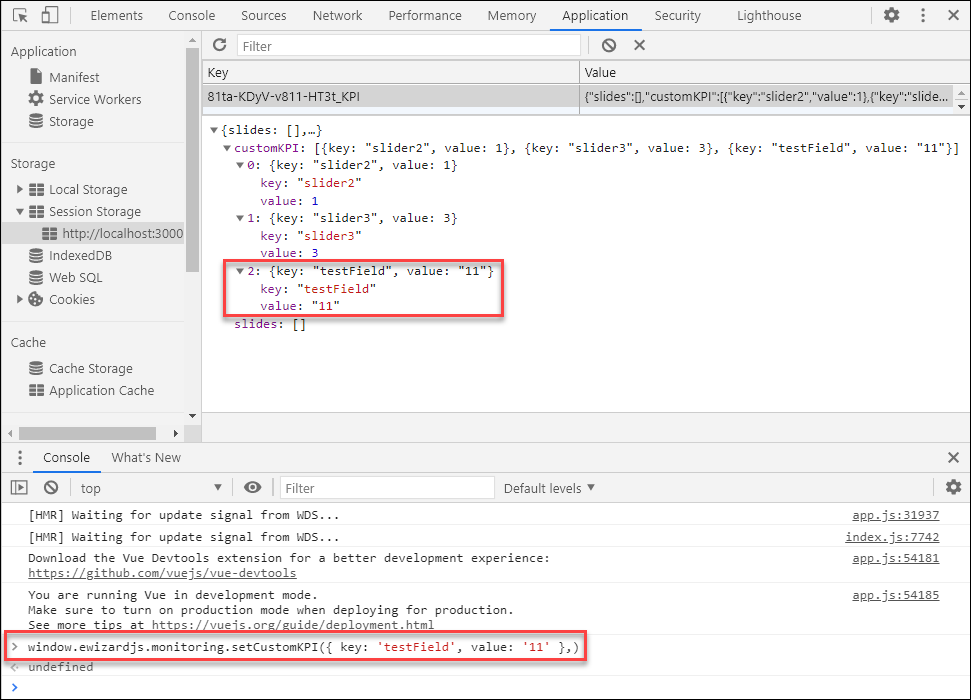
window.ewizardjs.monitoring.setCustomKPI()Use the setCustomKPI method to define the custom KPI values. You can use the array of key-value pairs.
js
window.ewizardjs.monitoring.setCustomKPI({ key: 'testField', value: '11' },)