Appearance
SFMC integration setup
Integration between the eWizard platform and Salesforce Marketing Cloud (SFMC) allows you to transfer emails created in eWizard to SFMC with the minimum human operation.
Email transfer to SFMC is implemented through the publication functionality in eWizard.
For this, the two platforms interact via the Marketing Cloud REST API. For reference, please see the SFMC Content Builder API documentation.
Integration setup
In terms of integration with SFMC, the eWizard Support team configures each Business Unit individually in eWizard. The configuration is available for Business Units with installed packages only and covers authentication and email placement in SFMC.
For this, the following values are required:
| Field | Description |
|---|---|
| Client ID | Authentication details of integration for each Business Unit |
| Client Secret | Authentication secret info |
| Authentication Base URI | Tenant-specific Authentication Base URI to construct authentication calls and request a token |
| SFMC default folder | The default destination directory in the SFMC content builder within each Business Unit |
The minimum permissions scope to be granted for successful publishing for each installed package is as follows:
| Scope | Permissions |
|---|---|
| CHANNELS | |
| Read, Write | |
| ASSETS | |
| Documents and images | Read, Write |
| Saved content | Read, Write |
You can find a full list of API integration permission scopes here
Permissions granted for scopes aren't related to individual user permissions in SFMC.
Integration validation
To validate successful integration between eWizard and SFMC, you must provide eWizard Support with the following test user parameters and permissions:
Access to apps and installed packages
Access to Administration and Business Units
Access to the Email Studio
Access to the root folder for content creation
Assignment to Business Unit (the same as the standard user's for content management in SFMC)
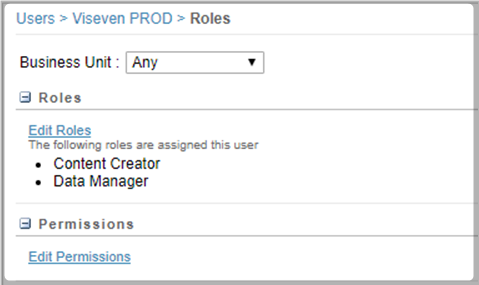
Assignment of the following roles to the API user:
Content Creator
Data Manager