Appearance
Initialize block
Use eWizard CLI to initialize a block.
Log in to your eWizard instance.
Go to the directory where you want to initialize your block.
Initialize your project.
shwiz initSelect the block template.
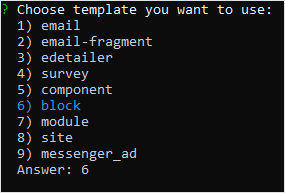
To skip the template selection step, initialize the block template with the
wiz init blockcommand. For more information, see the eWizard CLI command.Enter the block description.
Enter the name of your block and specify the author.
If you don't specify the name, the block name remains the same as the project directory name.