Appearance
Overview
The DISTRIBUTION ➝ Publish section in eWizard Business Admin is designed to empower you with the flexibility in configuring publish settings tailored to your custom company requirements. This section provides the tools and options needed to optimize and manage your Publisher workflows efficiently.
If your Business Admin is missing the DISTRIBUTION section, contact eWizard Support for assistance.
Click Publish in the navigation sidebar to open the list of all publication types available for configuration within your eWizard platform.
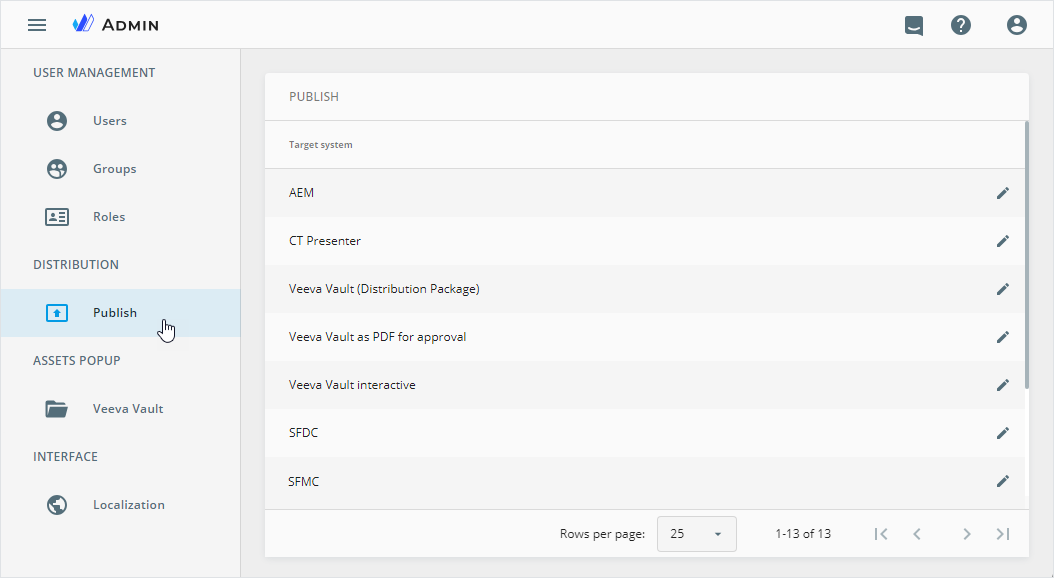
To view the configuration details, click the required target system name in the list.
Currently, you can customize publish settings for the following target systems:
Target system renaming
Within Business Admin, you can change the target system names to display in the Publish popup. For this:
Click the
 button to the right of the required target system name in the list
OR
Open the target system configuration page and click the
EDIT NAMEbutton
In the Edit name popup that appears, change the default target system name.
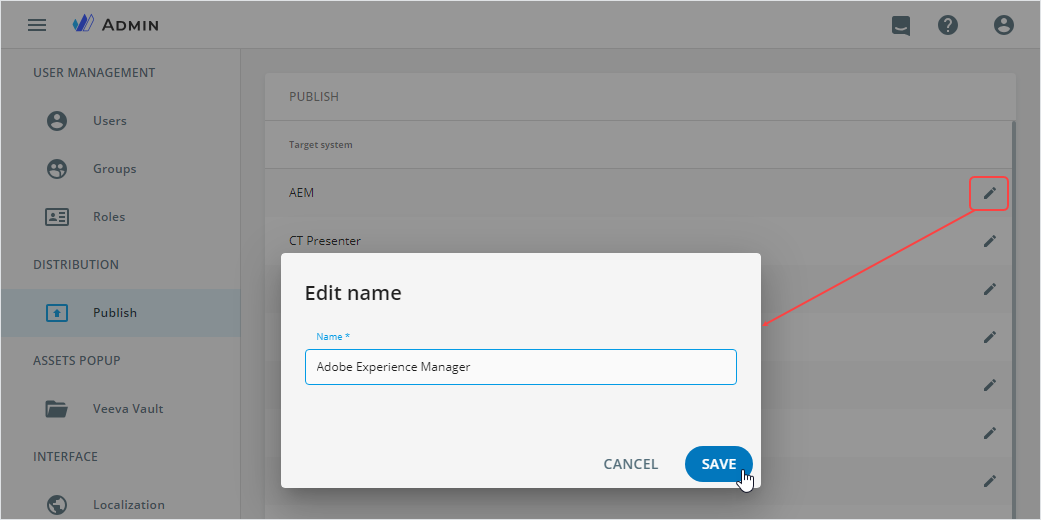
For publication types with no specific environment configurations, you can only modify the target system name.